Showing posts with label Lighting. Show all posts
Showing posts with label Lighting. Show all posts
Monday, September 1, 2014


Monday, March 10, 2014
Student Showcase - Anton Alfimenko re-creates Old Trafford
 |
| Old Trafford stadium by Anton Alfimenko |
Part of the trick with studying animation and visual effects is to pursue your passions. The medium involves a lot of hard work and it can be tough to go the distance, to create a portfolio that competes with the very best international competition. By picking a subject close to his heart, Anton ensured that he would complete the project to a high standard.

As well as the modeling, Anton has also demonstrated a strong grasp of textures and lighting to create a final result that feels believable and technically accurate.

(Editor's Note: For more impressive work done by our students and recent graduates here at Bucks, check out Ben Gray's Moonbeam, and the architectural visualisations of Sabah Masood. Also take a look at the work of Andy Thomas here, see our latest commercial project for Rocketseed, our short film done for a global aid agency, and take a look at the excellent work of designer Monika Dzikowicz, architectural visualisation specialist Krsytof Michalski, Alex Whitfield and the 3D artwork of Mike Swan.)
Tuesday, May 28, 2013
Student Showcase - Mike Swan's graduation year project

Bucks: You have just completed a modelling project as part of your final year assessed work. Tell us about how the project came about.
Mike: I knew I wanted to do something big. It needed to be the flagship final piece of my time I've spent at University. I already had other projects completed throughout the year that covered Architectural Visualisation work, so I wanted to focus on a Product Visualisation piece. What better product than a car?

The whole project was intensely challenging. I viewed a friends DB9 and took near 150 photos of it; without doing this the project would have of been impossible to complete as the point of it was to make it recreate it exactly in 3D. The biggest challenge would probably be keeping everything perfect, because it had to be. Anyone could look at the photos and compare them to the renders, so it had to be same.
Bucks: What sort of work are you hoping to do in the industry?
Mike: I thoroughly enjoy creating both Architectural and Product visualisations.

Bucks: What advice would you give to anyone starting at Bucks, so that they can make the very best use of their time on the course?
Mike: My top tips would be these:
- Learn in your spare time
- Constantly play around with your software.
- Learn to manage and balance your projects, time keeping is important.
- Problem solving. The chances are that someone has had the same problem before - look online!
- If you can't fix it yourself, ask your lecturers, they are there to help.
Mike: I used Autodesk 3DS MAX for the modelling, lighting, texture creating and rendering. Then I used Adobe Photoshop for the post production work such as colour correction, compiling the various different passes etc.
(Editor's Note: You can see more of Mike Swan's work at his website here.)
Wednesday, March 13, 2013
Bringing the Digital World to Life
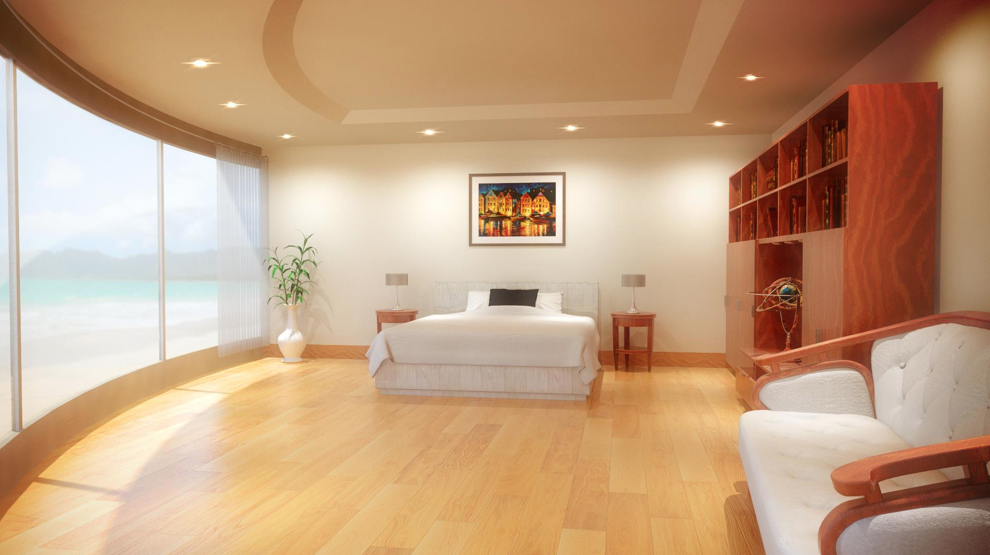 |
| Modeling, texturing and lighting by Mike Swan |
Survival in the 3D industry means being comfortable with the full digital pipeline. But, at the same time, a skilled graduate should be able to identify an area in which they shine especially well.
Modeling? Lighting? Texturing? Animation? All of these disciplines tend to be done by individual specialists in the big VFX houses, such as Framestore, MPC or Double Negative, where complex pipelines and big budgets mean that artists tend to specialise in one area of work.
 |
| Artwork by Mike Swan |
 |
| Modeling texturing and lighting by Ryan Meader |
 |
| 3D render by Ryan Meader |
Nice work Mike and Ryan!
---Alex
Subscribe to:
Posts (Atom)