Showing posts with label Welcome to Bucks. Show all posts

Saturday, September 27, 2014

Bucks IT - Quick Start Guide - How to Log In

Welcome to Bucks! For all our new students, the first weeks at Uni will bring a huge rush of new information to process. One of the first things you need to figure out is how to log in to our network, so you can start learning and start creating awesome animation. Below is our handy guide from IT to help you get started.

IT Quickstart Guide - Page 1


Starting off at Bucks can be frustrating.  But there's a lot of help available to get you off to a good start - if only you can find it. One of the purposes of this blog to help our new students figure out which end is up, and what they need to get underway.

IT at Bucks - page 2


Don't forget, for all IT related problems, your best bet is often to find your way to the IT Help desk in the library.
IT Help Desk - find it in the Bucks Library
There is always someone there on duty, and nine times out of ten they will be able to sort you out in just a few minutes.

---Alex

Friday, September 26, 2014

Career advice from our Latest Graduate Panel at Bucks


our graduate panel at Bucks
Yesterday, Thursday September 25th, we welcomed our latest graduate panel. These are Bucks graduates who have made it in the creative industries who come back to tell us about the latest trends in creative media, and to help our students gain an early understanding of what it takes to launch their own careers. Our guests this time were cinematographer Barry Gross, Matt Harris, Tammy Riley-Smith, who has just directed the feature film Delicious, BBC Producer Simon Fox, John Osbourne of Brassneck TV,  and TV director Lorna Gibbs.  A number of the panelists will be coming back to Bucks to teach our students the latest skills in new media.


Delicious by Tammy Riley-Smith
Steve Partridge chaired the panel, and his first question to the panelists was this:

How does the rise of new media digital content such as YouTube and mobile devices affect your job in creative media?

Lorna Gibbs said that she was not heavily impacted, as she does mostly live broadcasts. John Osbourne of Brassneck said that broadcasters have "less and less money to spend", but brands (by contrast) have "more and more money to spend" - especially on web content. This means that the market for "short form videos" is growing. And these can still be high quality, such as a series of films that Brassneck did recently for Fred Perry, who commissioned six 15 minute films on the history of British youth sub-cultures, such as Mods and Rockers. They wanted the films for their website. So, overall, there is more and more money for "short form" videos which can "pay very well".


But how do you pitch your ideas? Nowadays commissioners don't just want a paper proposal - they "want a sizzle", which is to say a four or five minute video which encapsulates your idea. John recently made a video about the housing estate where he grew up, and they are creating their own musical about this - which has been given funding for a feature documentary.
John Osbourne
Simon Fox said that web content was still regarded as the poor relation of TV - but it really isn't anymore, and the web should not treated as a lesser medium.  Tammy Riley-Smith said that film was changing fast - consumers don't go to the cinema anymore. But, she added, digital platforms are "saving the lives" of independent film-makers. Theatrical distributors are hard to convince - they want mass audience material. For niche film-makers, you can't get into theatres, but you can get a release online. Delicious (her latest film) got a release on iTunes, and YouTube offered a chance to promote the film. This is "exciting news" for student film-makers - now you have a platform that you can access.

Tammy Riley-Smith
Cinematographer Barry Gross said he is doing more and more work online, shooting on 2k and 4k cameras, with high production values. Higher resolution cameras can now shoot great material; the technology is improving all the time. The trouble is that actors are getting paid less and less for their work, and it is harder and harder to track where the material is being used and broadcast. By the time our current freshmen have graduated, the new media and old media will have "merged into one".

Barry Gross
Matt Harris said that broadcast is still fairly secure, still focused on TV and less on YouTube and Vimeo.
Matt Harris

Tammy Riley-Smith talked about how the industry is changing "not just year by year but month by month...it is changing all the time". Stephen Partridge talked about the positive side of new media - ie how much bigger job prospects are today, because their are "zillions of channels". There is "plenty of work out there" which is "exclusively for the web". He talked about a new Government survey which recently predicted that "half of the new jobs in the UK will soon be in the creative sector".

Stephen Partridge
The next question was: "Who is paying for content, and how has this changed?"

Barry Gross said that the author of content is not being paid in the same way; you can't digitally watermark stuff and he "hates seeing people create stuff and get ripped off".  Animators for example put "a lot of time and love" into their work (Amen to that - Ed).  Music videos used to have budgets - now they don't. Stephen Partridge argued that it is still possible to make money - but Barry pointed out that only small players and the majors (like Disney and DreamWorks) still survive - the middle-sized companies have disappeared. He asked "honestly, how many people in the room have pirated a film online?" - almost everyone put their hand up.

Tammy Riley-Smith said that the equipment has gotten cheaper. But John Osbourne said that Broadcasters are paying less too; they "know that costs have come down". Tammy said that film-makers "always lie" about their budgets. She also mentioned that there are "lots and lots" of ways to get a film made nowadays - "you have to be guerillas".

The next question was: "What should universities and colleges do to prepare students for the market?"


Matt Harris said that almost all his work "comes through his Twitter account". His advice is: "Get a Twitter Account". Also, don't just email your CV. You have to "try something new - why not send a box of chocolates with your CV? You have to what it takes to get noticed". Sending CVs "by mail or email - it does not work anymore - everyone else is doing the same thing". You have to try harder. "Find the show you like, find out who makes them, find their Twitter account, and congratulate them on their work. Then once you have made a connection, try to meet them; ask to shadow them for a day - you will eventually get a job". That is how Matt made it work for him.

Chocolates with your CV - a new way to get noticed? Photo: Wikipedia
Steve Partridge said that most undergraduates find networking hard, but this can be the most important thing in terms of building a career.

Lorna Gibbs said that "no experience is bad experience". Even jobs you don't like can provide you with good experience. She also said "never lie about your experience, because it will always catch you out". The industry is "still quite small...and it goes around".

Lorna Gibbs
John Osbourne said that to find work "you have to hustle". He added that Bucks was "awful" when he was here. It is "much better now...else I would not be here now". He had to "get out there and do it himself", he would "go to London and work for free" to find work. "What did you do?" asked Steve. "What didn't I do?" replied John. He "worked for everyone, to get a real flavour for the industry". John said you have to make it personal, you can't just email the office your CV. If you don't make the effort, you won't make it. He added that "spelling mistakes" will cost you work. No-one will hire you "if you can't run a spell check".

Simon Fox said that all the great people "are looking for ideas...you have to get out there and make a nuisance of yourself, in the nicest possible way".

Tammy Riley-Smith said "you can't sell yourself if you don't believe in yourself". So, over the next three years, you have to figure out "what it is you want to do". She thought it would be "glamorous working for a production company...but it was bloody awful". So, find "what you want to do, and develop that, find your self-belief". You have to "know thyself".

Matt Harris "studied TV production at university". He networked by "going on reality TV shows". He did "ridiculous numbers of pilots", mainly dating shows, one of which got aired.  He got to know people, and he would get called back. It was "not a normal way to get a job", but it worked. They "see you are keen, and they will employ you".

Barry Gross worked on Desperate Housewives in Los Angeles

Barry Gross said he moved to the UK and had to hustle - but at least "he was in his forties", so he was able to do it. Networking is a lot about trust; his contacts really helped him when he first moved to LA. "Get onto a [film] set", he added, because "it's not like anything else you have experienced". Another thing: "never talk smack about anyone". And, don't "buy stuff on payments", because it's important to work for free from time to time. Also, "go to whatever you're invited to", and "hang out with the smokers" outside. Networking is "so important".


The closing question for the panel was:
What current innovations and technologies are exciting you right now?

Lorna Dean Gibbs mentioned "The Mars system" which is changing broadcast TV. Barry Gross said that 5K cameras are appearing now. The Canon 5D "changed Barry's world", because it has a "very shallow depth of field". In the end though, it's all about what you do with the camera. A camera is "just a box with a hole in it". New cameras "can make people look like they've just been dug up", because "the cameras are so good".

Other general advice for students included the following:

John Osbourne said that to get your ideas made, "you need a great title". A great idea "with a bad title, will not get made". Tammy Riley Smith said that "collaboration is key".


To read more about our recent Graduate Panels, follow this link


Monday, September 22, 2014

Fresher's Week at Bucks!


Welcome to Fresher's Week!  Our new students arrive on campus today and we will soon welcome back our Level 5 and Level 6 students at the end of this week. Summer is over; the university now kicks into the its busiest part of the year.

Induction and the return to your next year of study can be a stressful time. There is a lot to arrange and sort out outside of University with accommodation etc, so we do try to make the process at University as painless as possible.


For our Freshmen (Level 4), the priority is on getting you settled in and enrolled. At the start of the week you'll meet your personal tutor, get your computer account sorted and should get your timetable for the year. Your personal tutor should be your first port of call as you settle into your classes and regular sessions should be available for you to ask any questions related to your studies. Personal tutors at Level 4 will be me (Alex Williams) and Nick Brown. We have two cohorts starting with us in Animation and VFX so we will splitting our freshers into two groups of around 14 each.

G1.13

We'll be starting everything on Monday 22nd of September at noon in G1.13, our main computer room in the Gateway building (the one that looks like a big blue TV set). Don't forget to get yourself at map at reception!


You will be meeting with personal tutor for one to one meetings on Wednesday September 24th, also in G1.13, so we can meet you personally and get to know each other.

Formal enrollment takes place on thursday at 1.30pm in the Events Hall. After that is the Graduate Panel, in the General Lecture Theatre (GLT) when industry professionals will come and talk to all our students about the world of professional work in creative media.

University life is a different experience for everyone. If any part of your time outside of Bucks starts to affect your studies then you need to let your personal tutor know. Its easy sometimes to get stuck in thinking about your tutors like teachers from school, but really the relationship is different and changes over your study period. The staff team is here to help and wants you to succeed.

For students at Level 5, your priorities are different as you already know what life at the University is about, so there's less need for an introduction. However, some short sessions on what to expect in your new year of study have been scheduled and you'll be able to meet new lecturers and ask questions of them. We want you to be comfortable and informed about the coming year, so do ask questions and make use of the time.

For Level 6 students, the start of your final year is very important. The vast majority of your final grade is determined by your level 6 modules and the year is very much about you creating the work that you want to be known for when you begin your career.

If you can't make the induction sessions for any reason do let us know.  Emailing tutors is a good idea; then we can try to help you get up to speed.

For more on starting out at Bucks, see this post.

Wednesday, September 17, 2014

A Warm Welcome to our new Animation & Visual Effects Students!

Welcome to Bucks!
A big, warm welcome to our new cohort of animators and visual effects artists! Your first days at Bucks will likely be a little confusing and overwhelming, with a complete overload of information to digest in a big hurry. To make it all a little easier, here is a selection of links that will help you find your way around campus, and to help you to find all the information and resources you need.

First piece of advice - get yourself a map. You can find handy plans of the campus at reception. Grab one and carry it with you for the next few weeks until you get the hang of the geography. If you can't find one, print this one out, and tuck it in your jacket pocket.


The Library
Here's a handy guide to how the library works and where you can find the books and other resources you need. The library staff are super helpful, and we have recently stocked up considerably on the latest animation and digital media books. If there is a book you need that isn't there - let us know - we'll put it on our order list!

Top of your reading list

Reading List
Here is a list of useful books to get you started. Number one is The Animator's Survival Kit - every student should have a copy. By Richard Williams, and published by Faber. The library has multiple copies. To see more useful books, check out the reading list here at the blog.

Alex and Dave
Where are my tutors?
Myself (Alex Williams), Dave Creighton and Nick Brown are all located in E.402, which is on the 4th floor of East Block, marked number 3 on the map above. Find our very scruffy office and say hello!

E.402. Winner of the Scruffiest Office on Campus Award
If we're not around, email us at alexander.williams@bucks.ac.uk or david.creighton@bucks.ac.uk

Contact Details for Media Production
Bucks isn't just about animation - there is all sorts of media production going on. Feel free to introduce yourself to all of our staff. We encourage co-operation and collaboration between departments so the staff are here to help. Below are some contact details.


Where are the online resources?
Online content is a big priority for us at Bucks. You can access our online tutorials at our Vimeo site here - but you'll have to log in first (ask us for the password). We have well over 100 videos to watch, taking you through the essentials of digital animation, step by step. You will find Theory Videos, Technical Videos, and Tutorials, on every aspect of animation.

We also have a free subscription to Lynda.com for all our students, so you can learn and study new software in your own time.

Our teaching philosophy
You can also read about our philosophy of blending learning - that is combining classroom time with online content - here. At Bucks, as at any University, classroom time is a precious resource, so the more you can learn through online tutorials the more you can get the most out of classroom time. To read more about how long it takes to become an accomplished animator, click here.
Corkboards in G1.13 - showcasing our students' work
Where are the animation classrooms? 
Most of our teaching is done in G.113, G.112 and G1.11 in the Gateway Building (that's the big blue building pictured above). You'll find rows of PCs, Macs, and even (finally!) some nice artwork on the walls, to keep you inspired.

G1.13 - our main animation classroom. G stands for Gateway - our new media hub
You should never find yourself without the tools to do your work. To see more, take a tour of the animation classroom.

Library at Bucks - plenty of study rooms available to students and staff alike

How do I book a study room?
Need a quiet room to study in? Perhaps you need to have a private meeting about a project with some other students? You can book a study room simply by going to Reception and presenting your ID.

I need a bit of extra help - how do I get it?
The Learning Development Unit (LDU) is here to help with all kinds of challenges including general academic skills. If you find it hard to take notes in class, do library research, or write essays, or if English is not your first language - they can help. Find out more about the LDU here.

Can I get a mentor to help me out?
Bucks has a dedicated mentoring service...to find out more, visit this page. In short, if you would like a student mentor to help guide you through your first year at Bucks - just ask. It will be done.

Bucks Learning Partnership Agreement (LPA)

What do we expect of our students?
To find out more about what we expect of our students, and what you can expect from us, see this article about the Bucks Learning Partnership Agreement (LPA) here.

I need to scan a document - where can I find a scanner?
We have photocopiers in the library which will scan an A3 document, and then email it to you. Click "scan to email" and you should be sorted. There are also some scanners available in the Timberlake building.

Where is my laptop?
We are getting free laptops for all our Animation and VFX students. Bear with us though - we will only know how many to order once all our freshmen have registered, and the laptops will take a couple of weeks to arrive. Be patient - you will get them soon!

Get inspired!
...by checking out some of the awesome work done by our recent graduates, such as Monika Dzikowicz, Krzysztof Michalski, Lydon Fleisig, Jens Kopke, Mike Swan and Clare Hunt. Take a look at our page at YouTube and have a look at some of the videos. Your job is to study hard, learn your craft and do even better.

Check out the Bucks Welcome page
The Bucks Welcome page is a good place to start to find resources at Bucks, including timetabling and other important practical stuff.

Once again, welcome to Bucks! We want this to be the beginning of the best three years of your life.

----Alex

For more on the experience of studying at Bucks New University, come and visit us at one of our Open Days,  take a virtual tour of one of our animation studios, check out what our students think of our course, and see why we're ranked in the top 12 creative universities in the UK. Find out why we're giving free laptops to all our students, and why we give all our students free access to videos at Lynda.com. Also, see what financial assistance might be available to you. Learn which is better for animation, a PC or a Mac? Get hold of a copy of a map so you can find your way around campus, and learn about motion capture at Bucks. Finally, find out about how to use our free online training videos here at Vimeo.


Friday, August 1, 2014

Why are we handing out free laptops at Bucks? Have we lost our senses?

free laptops! Yay!
Why do we offer free laptops to our freshmen students in October? The answer is simple: we want all of our students to be able to work equally as well from home as they do at university. One of the many career paths open to a skilled digital animator is to do freelance work from home, and the best way to do this is to master as many software packages as possible, allowing you you to take on small jobs even while you are still at uni.  So, what kind of computer do our students actually get?

What kind of laptop do we provide?
What we try to do is get the best possible spec within the target price allocated to the course. Obviously we can't spend a fortune - but the machines must be fit for purpose and capable of doing the jobs required of them. That includes running Autodesk Maya, the Adobe Suite, and any other piece of software needed to make digital artwork and films from home.

Plenty of RAM. Photo: Wikipedia

What kind of spec do the laptops have?
We aim for at least an i5 processor, 8Gb RAM, nvideo graphics card (not onboard graphics), a decent screen and we try for a 17" display with reasonable resolution.  We go for a reputable but well-priced Manufacturer such as Acer or Toshiba.

Our students also get free access to Lynda.com

What will the new students get in October?
For this year, we haven't yet placed a purchase order, but we will review the best deals through the University sources in August and find the best specification that we can.


We have hundreds of videos online for learning animation - exclusively for our students

Will it be a good laptop?
Yes. Whatever we end up getting, we're sure you will find it a reliable workhorse that will sustain you in your professional career all the way through university and beyond.


To find out more about how our Animation & VFX course works, read this post. For information on the student loans system, click here.  To read about what we're doing to improve what we do here at Bucks, read this post. For help finding your way around, see this map of campus here. To take a virtual tour of our animation studio, click here, and also check out what our students have said about our course. To see why Bucks is ranked among the top twelve creative universities in the UK, click here. 

Saturday, July 26, 2014

Summer Pleasures for our Freshmen Students - and a Reading List

Not that we want to spoil your summer. Photo: Wikipedia
What kind of preparation should students do before starting with us in September at Bucks? Needless to say, we don't want to spoil your summer, especially given the glorious weather that we are currently enjoying. Still, it's worth casting half an eye forward to September, and thinking about some of the things you might do to get ready for your studies. Here's a checklist of stuff to get you started. It's not comprehensive, and you don't have to do all of it, but tick off a few of the things on this list and you will be a making a great start on your animation career here at Bucks.


First, here is a reading list to get you started. Buy some of these books online or check them out from your local library. All the books on this list are in our library at Bucks, of course, but get one or two for yourself and do some reading while you're getting a suntan at the beach.

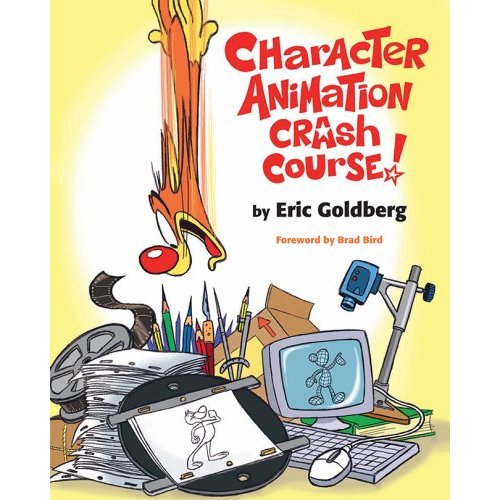
Character Animation Crash Course by Eric Goldberg
  1. The Animator's Survival Kit. We recommend that any serious student of animation should buy a copy of The Animator's Survival Kit, by Richard Williams. It is now the standard textbook for animators and easily the most comprehensive book available for learning animation.
  2. The Illusion of Life. The Illusion of Life was written by Disney animation legends Frank Thomas and Ollie Johnstone, and represents the accumulation of knowledge of the first "Golden Age" of Disney animation. An invaluable resource. 
  3. Cartoon Animation. Cartoon Animation by Preston Blair was the first available book on animation, and has been in print since the early 1950s, regularly updated since then. Still full of very useful material. 
  4. Timing for Animation by Harold Whittaker and John Halas is another very useful book on animation. It was first written some years ago but was recently updated and edited by former Animation Guild President Tom Sito. 
  5. Character Animation Crash Course. The Character Animation Crash Course by Eric Goldberg is an excellent resource by one of the most talented 2D animators in the world - the man behind the genie in Disney's Aladdin.
  6. The Complete Digital Animation Course. The Complete Digital animation Course by Andy Wyatt is a very useful overall guide to all the processes involved in digital animation and film-making. Especially good for the technical bits that the older books don't cover. 


OK - so you've bought a book or two - what else? The next thing to do - if you have a laptop at home, or access to one - is get yourself a free copy of Autodesk Maya, and open it up. Maya is the main software we animate with, nowadays it's the industry standard. Below is a free tutorial in the Maya interface (there are tons of similar ones) hosted at YouTube.


Don't be daunted - just take a quick look! It does look a bit confusing at first but it's good to get familiar with the layout, and learn where the main hotkeys are, and how the interface works. You can register and get a free Maya student license here.

Animation Apprentice


Once you have done that, take a look at the week 1 videos on my website Animation Apprentice. The week 1 videos are all free and this gives you a general introduction to the medium of animation, helping you to get familiar with the language, and a good idea of what we'll be up to starting in October.

Fill sketchbooks!

Other useful things you can do include going to life drawing classes, and especially filling a sketch book with sketches, doodles and ideas. Being able to express an idea in a simple sketch is still a very useful skill, even in the digital age. We don't expect our students to be brilliant draftsmen, but we do expect you to be able to pick up a pencil and do a sketch - even if it's a crude one. All great ideas begin with a drawing - however simple and basic.

Gateway Building at Bucks

If you do some or all the things on this list - you will have a great head start with us in September. From all of us at Bucks, we look forward to meeting you!

----Alex

For more about the experience of studying at Bucks New University, come and visit us at one of our Open Days,  take a virtual tour of one of our animation studios, check out what our students think of our course, and see why we're ranked in the top 12 creative universities in the UK. Find out why we're giving free laptops to all our students, and why we give all our students free access to videos at Lynda.com. Also, see what financial assistance might be available to you. Learn which is better for animation, a PC or a Mac? Get hold of a copy of a map so you can find your way around campus, and learn about motion capture at Bucks. And find out about how our online video tutorials work

Thursday, October 3, 2013

Free computers for our freshmen students!


Completely free! Well, sort of.
As promised, all of our freshmen students have now been given free laptop computers at the start of the new Animation & VFX course. Of course they are not really free, they were paid for with student tuition fees, but nonetheless we are delighted to be able to give something back to our new students which will help them to become self-sufficient digital artists over the next 3 years.

Having your own computer is the first stage of building your own career as a digital artist. We want all our students to find work in the digital creative industries when they leave Bucks, but equally important is the ability to run your own mini-studio from your bedroom.

There is a lot of work out there now available for solo digital artists, who can do excellent work at prices which undercut commercial studios. If you have the right software, enough talent and training, and very low overhead, you can build your own career from home.

In fact, there is nothing to stop you doing freelance work while you are still at Bucks. Check out the work done by our recent graduates, such as Mike Swan, who started freelancing while he was still an undergraduate, and also take a look at our latest film collaborative projects, in which all the artists work from home, putting the final film together online in a virtual studio. 

So fire up your laptop and start installing software. You would be amazed how much is available for free, or at greatly reduced rates for students.

---Alex


Wednesday, October 2, 2013

Bucks IT - Quick Start Guide and Cheat Sheet


Can't log in? Password messed up? IT giving you a headache? Check out our IT Quickstart Guide. Keep it by your bedside to solve all your IT problems....


IT Quickstart Guide - Page 1


Starting off at Bucks can be frustrating.  But there's a lot of help available to get you off to a good start - if only you can find it. One of the purposes of this blog to help our new students figure out which end is up, and what they need to get underway.
IT at Bucks - page 2
Don't forget, for all IT related problems, your best bet is often to find your way to the IT Help desk in the library. There is always someone there, and they'll sort you out.

---Alex

Friday, September 20, 2013

Where am I supposed to be on Monday?


Welcome to High Wycombe
Term starts on Monday and Induction Week is the first of many pleasures awaiting our new students at Bucks. By now, Admissions should have sent everyone an email with all the necessary information including the miriad forms that need filling in. There is also plenty of information here about how term gets under way:

Scroll down the page and look for ‘Joining Instructions’ and a link for ‘undergraduate courses’. Then follow the instructions and choose our course from the list.

On that page the induction week timetable can be found, plus a welcome letter.

Welcome to Bucks!

---Alex

Thursday, September 19, 2013

Welcome to Bucks! - A Brief Guide for our New Students

Gateway building - home to animation and many other media resources
A big, warm welcome to our new cohort of animators and visual effects artists! Your first days at Bucks will likely be a little confusing and overwhelming, with a complete overload of information to digest in a big hurry. To make it all a little easier, here is a selection of links that will help you find your way around campus, so you can find the information and resources you need:

First piece of advice - get yourself a map. You can find handy plans of the campus at reception. Grab one and carry it with you for the next few weeks until you get the hang of the geography.

The Library
Here's a handy guide to how the library works and where you can find the books and other resources you need. The library staff are super helpful, and we have recently stocked up considerably on the latest animation and digital media books. If there is a book you need that isn't there - let us know - we'll put it on our order list!

Top of your reading list

Reading List
Here is a list of useful books to get you started. Number one is The Animator's Survival Kit - every student should have a copy. By Richard Williams, and published by Faber. The library has multiple copies.

Where are my tutors?
Myself (Alex Williams), Dave Creighton and Nick Brown are all located in E.402, which is on the 4th floor of East Block. Find our very scruffy office and say hello!

E.402. Winner of the Scruffiest Office on Campus Award 2013
If we're not around, email us at alexander.williams@bucks.ac.uk or david.creighton@bucks.ac.uk

Where are the online resources?
Online content is a big priority for us at Bucks. You can access our online tutorials at our Vimeo site here - but you'll have to log in first. We have well over 100 videos to watch, taking you through the essentials of digital animation, step by step. You will find Theory Videos, Technical Videos, and Tutorials, on every aspect of animation.

Our teaching philosophy
You can also read about our philosophy of blending learning - that is combining classroom time with online content - here. At Bucks, as at any University, classroom time is a precious resource, so the more you can learn through online tutorials the more you can get the most out of classroom time. To read more about how long it takes (10,000 hours!) to become an accomplished animator, click here.
Corkboards in G1.13 - showcasing our students' awesome work
Where are the classrooms? 
Most of our teaching is done in G.113, G.112 and G1.11 in the Gateway Building (that's the big blue building pictured above). You'll find rows of PCs, Macs, and even (finally!) some nice artwork on the walls, to keep you inspired. You should never find yourself without the tools to do your work.

How do I book a study room?
Need a quiet room to study in? Perhaps you need to have a private meeting about a project with some other students? You can book a study room simply by going to Reception and presenting your ID.

I need a bit of extra help - how do I get it?
The Learning Development Unit (LDU) is here to help with all kinds of challenges including general academic skills. If you find it hard to take notes in class, do library research, or write essays, or if English is not your first language - they can help. Find out more about the LDU here.

Can I get a mentor to help me out?
Bucks has a dedicated mentoring service...to find out more, visit this page.

What do we expect of our students?
To find out more about what we expect of our students, and what you can expect from us, see this article here.

I need to scan a document - where can I find a scanner?
We have photocopiers in the library which will scan an A3 document, and then email it to you. Click "scan to email" and you should be sorted. There are also some scanners available in the Timberlake building.

Get inspired!
...by checking out some of the awesome work done by our recent graduates, such as Monika Dzikowicz, Krzysztof Michalski, Lydon Fleisig, Jens Kopke, Mike Swan and Clare Hunt. Take a look at our page at YouTube and have a look at some of the videos. Your job is to study hard, learn your craft and do even better.

Check out the Bucks Welcome page
The Bucks Welcome page is a good place to start to find resources at Bucks, including timetabling and other important practical stuff.

Once again, welcome to Bucks! We want this to be the beginning of the best three years of your life.

----Alex